





For transaction coordinators
Meet Ava, your AI assistant for real estate transactions.

A new contract shouldn’t mean a late night.

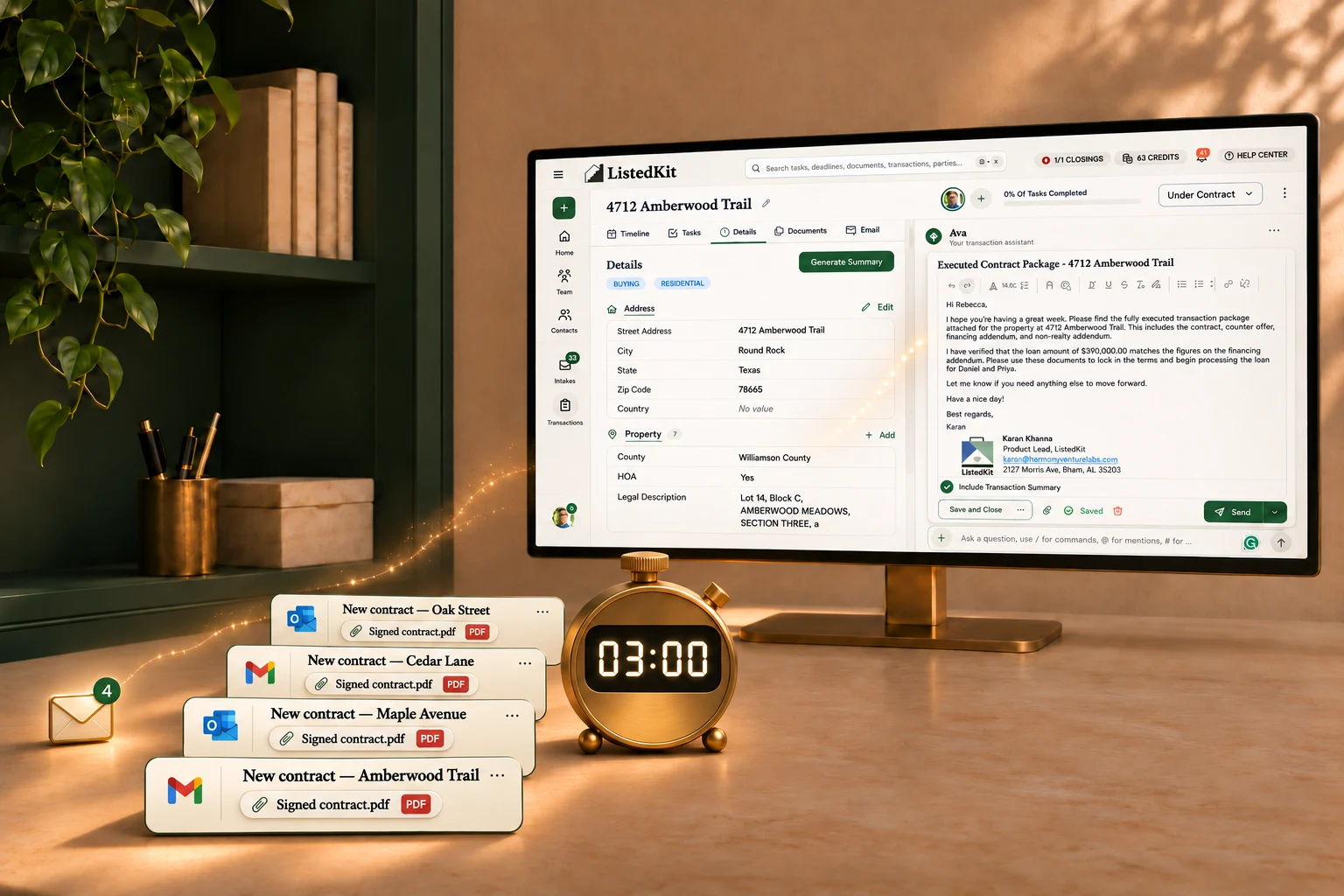
Ava reads your contract, builds the timeline, and drafts your welcome emails in 3 minutes. You review and hit send.

Four contract emails arriving through Gmail and Outlook lead into Ava’s transaction workspace and email draft, with a three-minute timer in a warm, sunlit workspace.

Used by transaction coordinators and agents at brokerages including

Coldwell BankerWindermere Real EstateWeichert RealtorsRealty ExecutivesKeller WilliamseXp RealtyCompass

Meet your teammate

Meet Ava. You finally have someone to help with all of it.

ListedKit is transaction coordinator software with Ava, an AI assistant that works from your SOPs, your email templates, and the details in each deal. Get help keeping up with the paperwork and follow-ups, so every new file doesn’t mean more work waiting after hours.

Your contract reader

Get a head start on the next file.

Transaction coordinators spend an average of 45 minutes reading the contract, entering information, calculating deadlines, and organizing paperwork. Ava prepares the file and email drafts in 3 minutes. You check her work.

Your inbox triager

Stop wondering what’s buried in your inbox.

Ava watches your connected inbox for deal updates, flags what needs attention, files attachments with the right transaction, and drafts replies for your review. Catch up without opening every thread.

Your email drafter

The first draft is already done.

Your templates, your instructions, and the details from the deal. Ava prepares the welcome emails and follow-ups for you to review and send.

Your deadline helper

One new date. Less rework.

When an amendment comes in, ask Ava to update the related deadlines. You approve the changes and get back to your other files.

Your second set of eyes

Feel better about what’s in the file.

Ava checks the paperwork against your SOPs, required documents, and compliance rules, then flags what’s missing. You decide what needs attention before closing.

Your agents’ source for updates

One less interruption.

An agent can text Ava for the latest date on file while they’re out with a client. You can finish the review in front of you.

Jessica DiRosa

Transaction Coordinator, Sellstate Altitude

Jessica gets half an hour back when she starts a file.

Ava pulls the contract details and prepares Jessica’s introduction emails. Jessica reviews and sends them. She estimates she saves at least half an hour per transaction just getting the file started.

Read the full customer story
“…It removes the constant worry that I forgot something and the endless searching for documents and double-checking myself.”
Vicki C.Owner (Transaction Coordinator)

Let Ava help with the next one.

You already have enough on your desk. Start with the next contract that comes in.

  1. Connect your email

    Connect the Gmail or Outlook inbox where your contracts arrive.

  2. Ava gets the file started

    She pulls the contract, builds the timeline, and prepares the file and email drafts.

  3. Review, send, and move on

    Check her work, send the emails, and get back to the next file.

Before you get started

Will Ava work with my email?

Yes. Connect your Gmail or Outlook inbox. ListedKit also works with Google Calendar and Outlook Calendar for deadline syncing.

Do I review everything before it goes out?

Yes. You check the contract details, approve timeline changes, and review email drafts before sending. You decide how to handle anything Ava flags.

Can Ava read my state’s contracts?

Ava can read purchase agreements from any state, including handwritten agreements, as well as amendments and counteroffers. You review the dates and terms against the signed documents.

Do my agents have to learn a new system?

Your transaction desk can start with its own files and connected inbox. Agents who want an update can text Ava for the latest date on file. They can also keep reaching out to the office as usual.

What does it cost?

ListedKit offers Free with one active closing and one admin seat, Solo at $99/month for 10 active closings and one admin, Team at $249/month for 25 active closings and two admins, and Max at $499/month for 50 active closings and four admins. Annual billing saves 10% and is paid upfront. All plans include unlimited listings, unlimited use of Ava’s skills and unlimited eSign. Paid plans can add five reusable closing slots for $59.99/month per block. Agents invited in the User role are free; extra admin seats are $49/month or $529/year each, billed separately. On any plan, including Free, a $29 credit covers one additional closing until it closes or is voided.

See plans and pricing